Chat
Talk to the model running on your Mac, with saved conversations, memory you control and every model setting in reach.
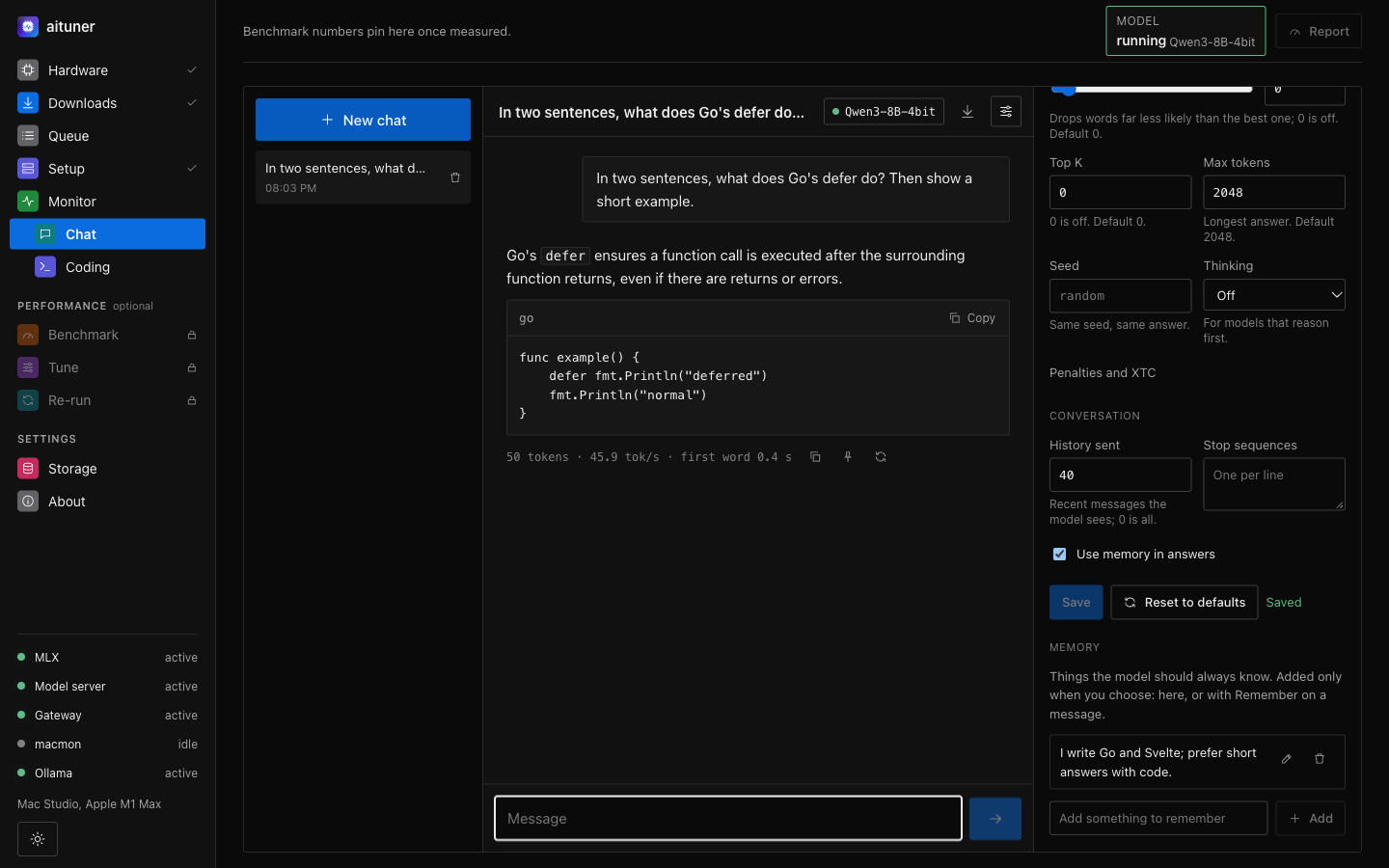
Start a chat
Start a model in Setup, then open Chat under Monitor. Press New chat and write; Enter sends, Shift+Enter adds a line. Answers stream in as the model writes them, and Stop keeps what was written so far. Your chats are saved on your Mac and named after their first message; rename, export as Markdown, or delete them from the list.
Answers
- Code blocks with a copy button, tables, lists and links. Model text is shown as text, never run as a page.
- Reasoning models' thinking folds into a Thinking section above the answer.
- Each answer shows its length, speed in tokens per second and the wait for the first word.
- Answer again, or edit one of your messages and send it again: the conversation continues from there.
Memory
Memory holds what the model should always know about you, and only what you choose: press Remember on a message, or add, edit and delete items in the settings panel. Remembered items are given to the model with every answer while Use memory is on. Nothing is remembered on its own.
Settings
The panel on the right holds every setting sent with a request, per model: the system prompt, temperature, top P, min P, top K, the longest answer, a seed, thinking on or off, repetition, presence and frequency penalties, XTC, stop sequences, and how much history the model sees. Reset to defaults restores the values the model's authors recommend in its own configuration, or mlx-lm's defaults when it has none. Values are checked against the model server's own limits before they are saved.
Privacy
Chats, memory and settings are stored in aituner's database on your Mac. Messages go only to the model on your Mac, through aituner itself; the model's port is never reached from the page.