
Know your Mac
aituner reads the chip, the GPU and the unified memory, and benchmarks what your Mac can really do for AI.
aituner measures your Mac, finds the most capable model that fits its memory and runs it in one click, with a private chat. No Terminal, no cloud: your data stays on your Mac.
Or the notarized edition with Homebrew:
brew install --cask aituner-app/tap/aitunerFree, for Apple Silicon Macs. New to local AI? Self-hosted AI on a Mac.
Press Get started. aituner does the rest, step by step, and shows you each one.
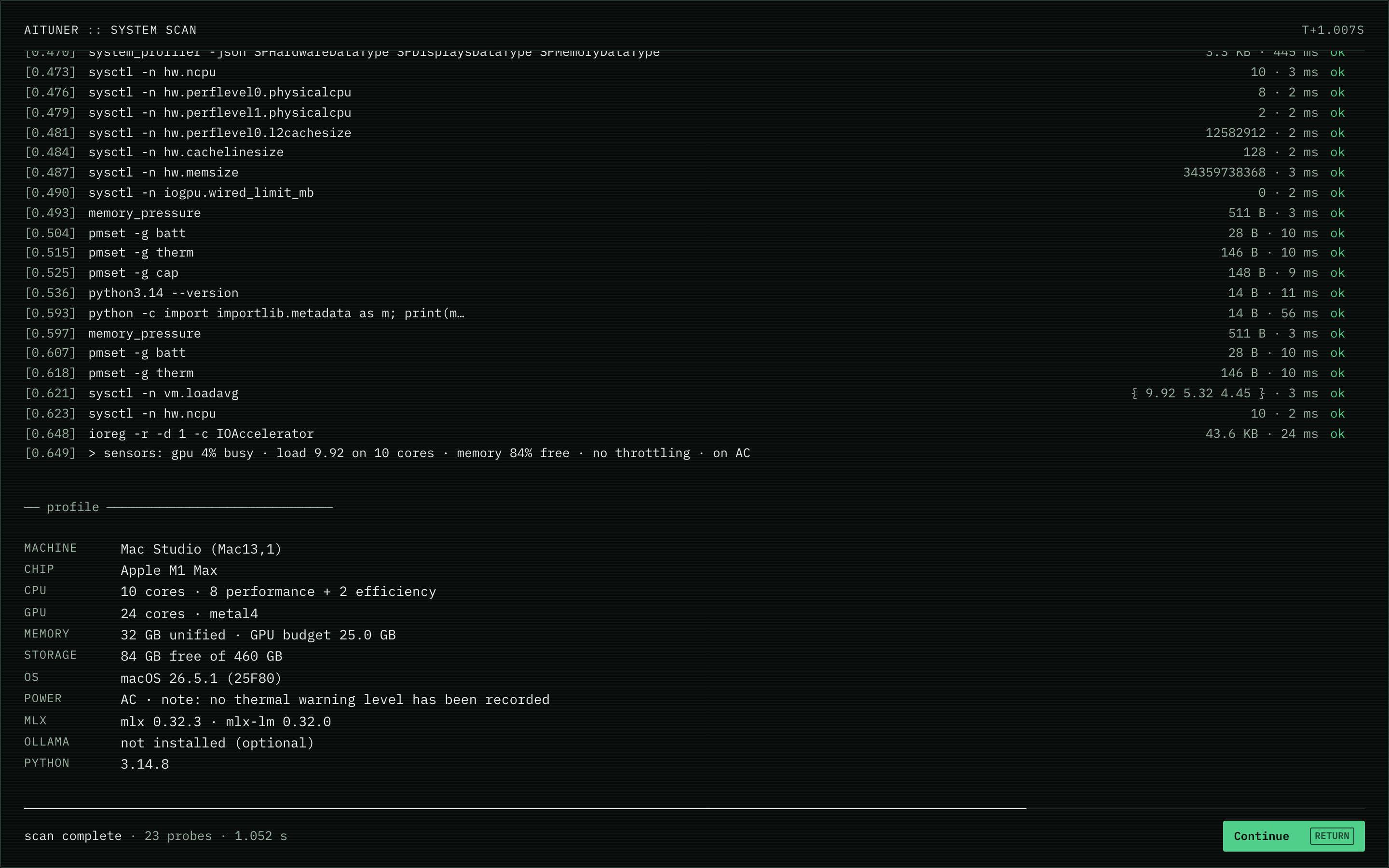
aituner reads the chip, the GPU and the unified memory, and benchmarks what your Mac can really do for AI.
Choose AI Performance (the most capable model) or AI Memory (the longest context window). A ring shows how the memory splits between the model and its context.
aituner downloads the MLX model, runs it inside the app and opens Local AI, a chat with it on your Mac.
Each version is checked against Apple's App Review Guidelines before it is published.
It can reach only what macOS allows it to. Everything it needs to run models is inside the app.
Sign in with Apple once. Your account knows who you are and which devices are yours, nothing more.
Models run on your Mac and your chats are kept there. No tracking, no advertising.
Sign in with Apple once. At account.aituner.app you see every Mac you own, live, from anywhere: what is running, the model it serves, GPU, CPU and memory, and the iPhones and browsers connected to it. Nothing your Mac holds is ever stored in the cloud.
Every device on your account, when it was last seen, and Disconnect or Remove for any of them.
Its sessions and model live, and a chat with it from any browser, end to end encrypted. Free during the beta.
Tell us what to fix or build next from your account, and follow it to the release. Tickets are public issues on GitHub, with no name or email.
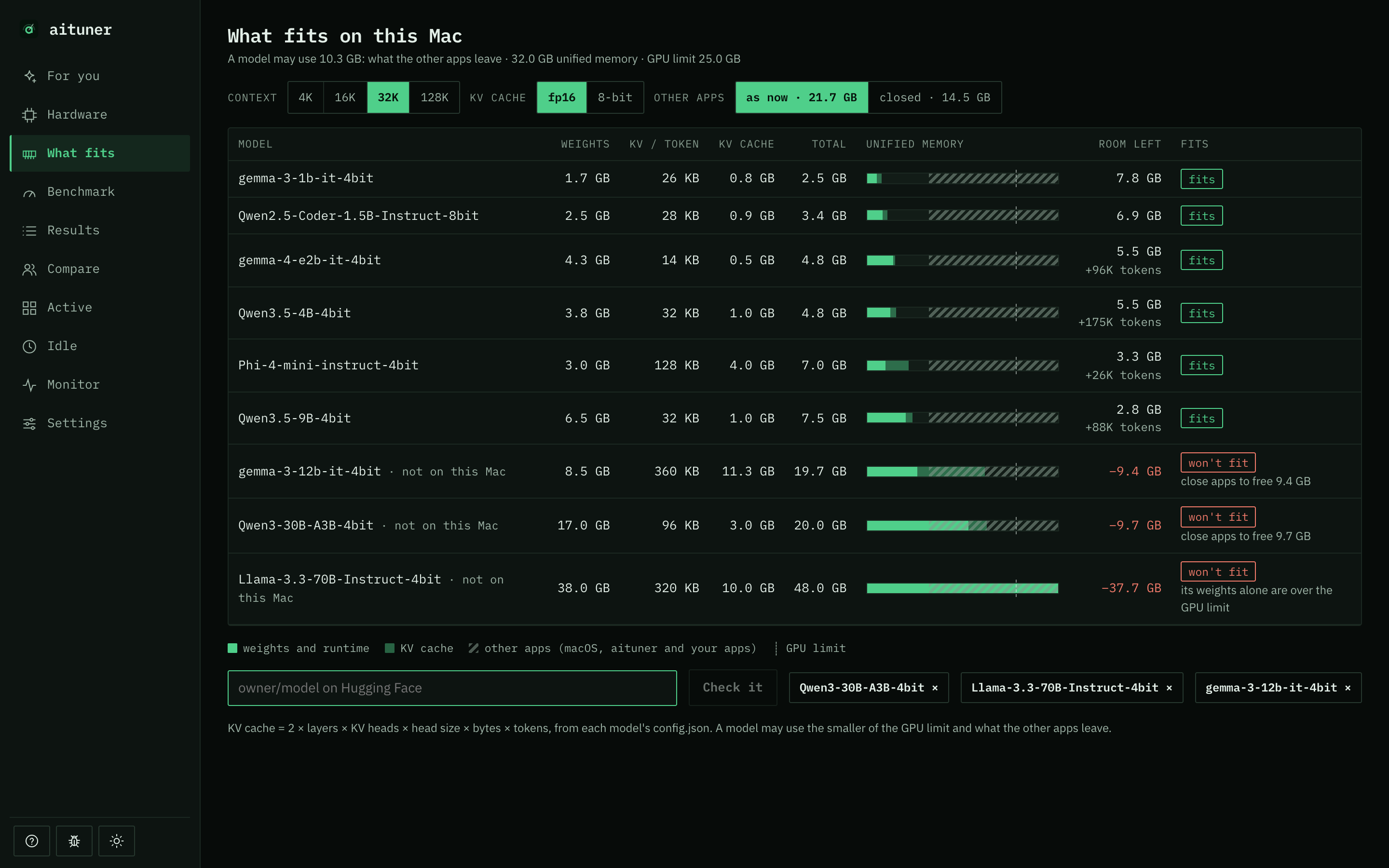
Each MLX model as a bar against your Mac's memory at the context you pick: weights, KV cache and the room left. Fits, tight or won't fit; run any in one click, or add one from Hugging Face. How memory decides what fits.
Local AI talks to the model aituner runs, or one loaded in Ollama or LM Studio; the edition installed with Homebrew also reaches MLX servers and llama.cpp. Nothing goes to a cloud service.
Several conversations, kept on this Mac only.
Attach text files and PDFs to any model and ask about them, on your Mac.
A thinking model's reasoning is shown apart from its answer.
GPU, CPU, memory and speed beside the chat.
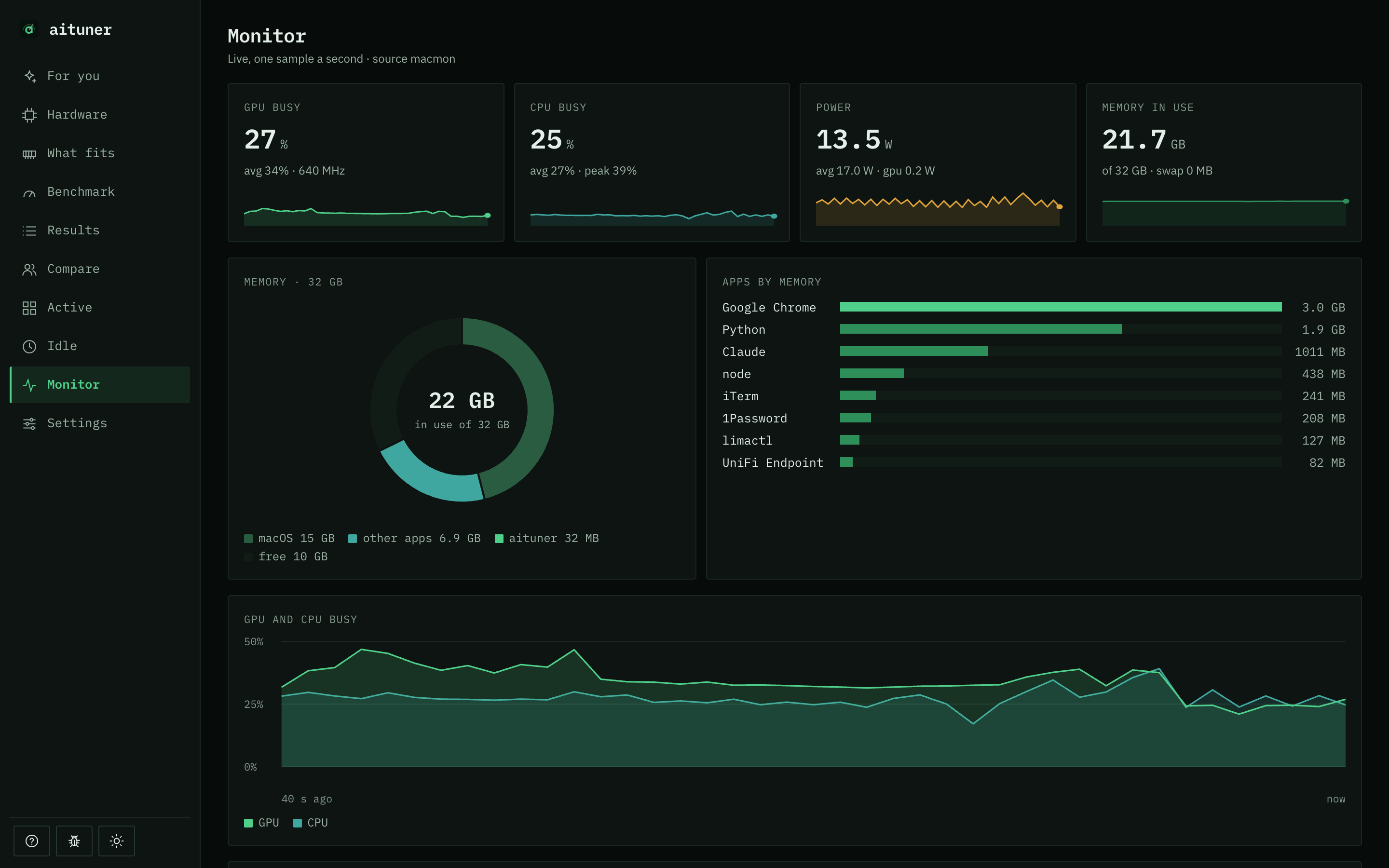
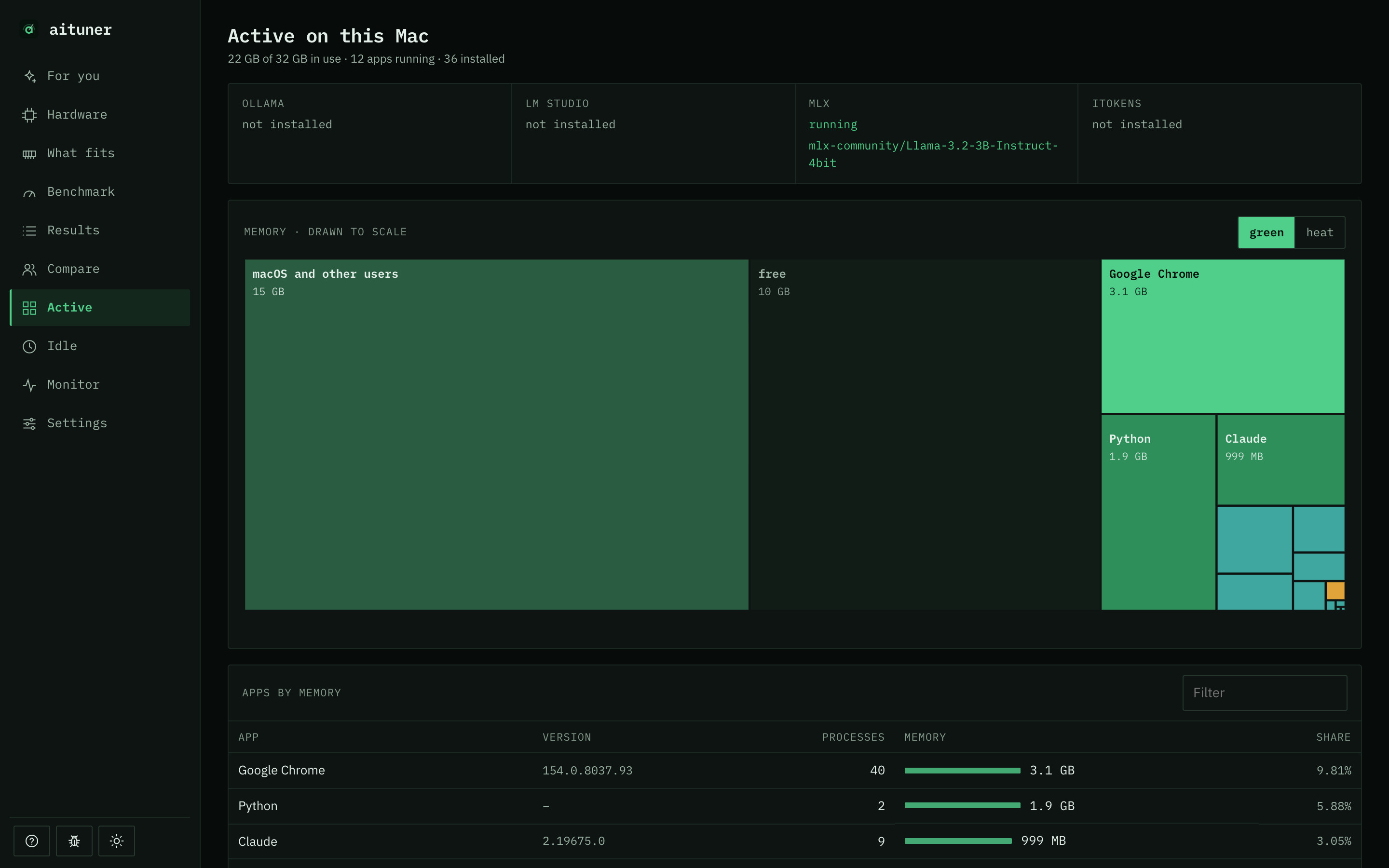
What runs (Ollama, LM Studio, MLX) and its model, a benchmark as it runs, GPU, CPU and memory live, and Stop all.

Real measurements on your Mac, never estimates: the median of several trials, saved with the thermal state and tool versions.
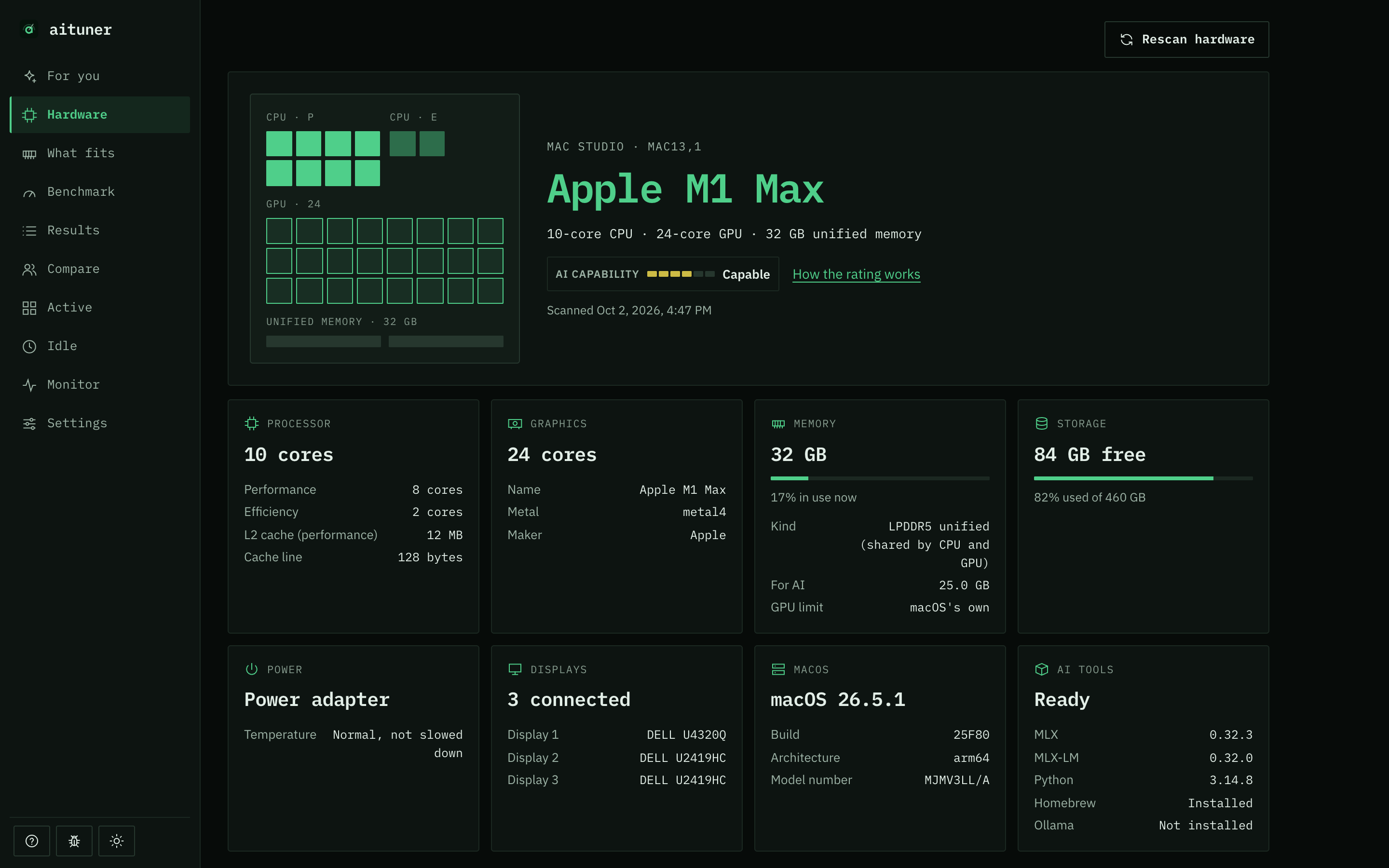
Chip, performance and efficiency cores with their clocks, GPU cores, unified memory, the GPU memory limit, rated and measured bandwidth, thermal state, free disk.
Memory bandwidth, GPU compute (fp16 and fp32), prompt and generation speed with MLX on a fixed model, and Ollama when it is running. Live, with a log.
Results shows how your Mac stands against the same chip and memory elsewhere.
Yes. In aituner from the Mac App Store, Get started benchmarks your Mac, then downloads the most capable MLX model for it and runs it inside the app: Apple's MLX is built in, so there is no Terminal and no Python. You sign in with Apple once, then chat with it in Local AI.
It depends on its unified memory, the context window you want and what else is open. aituner's Models screen draws each MLX model against your Mac's memory at 16K, 32K or 128K tokens of context: its weights, its KV cache and the room left, with fits, tight or won't fit.
Yes. Local AI chats with the model aituner runs and with any model loaded in Ollama or LM Studio; the edition installed with Homebrew also reaches MLX servers and llama.cpp. Active shows which of them are running and the models they have loaded. You do not need any of them: aituner runs MLX models itself.
Yes. aituner for Mac is free to download from the Mac App Store, with no license key. You sign in once with Apple, and AiTuner Plus is free during the beta.
Your free aituner account ties your Macs, iPhones and browsers together: at account.aituner.app you see your Macs live, chat with their models from anywhere, manage your devices and follow your support tickets. Sign in with Apple handles it: no password of ours, and you can hide your email.
No. Your account keeps who you are and which devices are yours. Your chats, models, results and live stats stay on your Mac; your own iPhone and browser see them end to end encrypted through our relay, which cannot read them and stores nothing.
aituner for Mac comes from the Mac App Store: Apple reviews each version against its App Review Guidelines before it is published, it runs inside Apple's App Sandbox, so it can reach only what macOS allows it to, and it is installed and updated by the App Store. Your chats stay on your Mac, and there is no tracking or advertising.
The models run on your Mac. What you type to them, and what they answer, stays on your Mac: your conversations are kept there only, and nothing is sent to an AI company.
Apple Silicon Macs (M1 and later) with macOS 14 or later. Local AI runs on the Apple Silicon GPU, so that is what aituner measures and uses.
No. The benchmarks only measure. aituner downloads the fixed test model it needs (about 2 GB) once, after showing you what it will fetch.